How to Clear the Cache on a Windows DNS Server
(Paul W. 03/12/13)
1. Login to the Windows DNS server
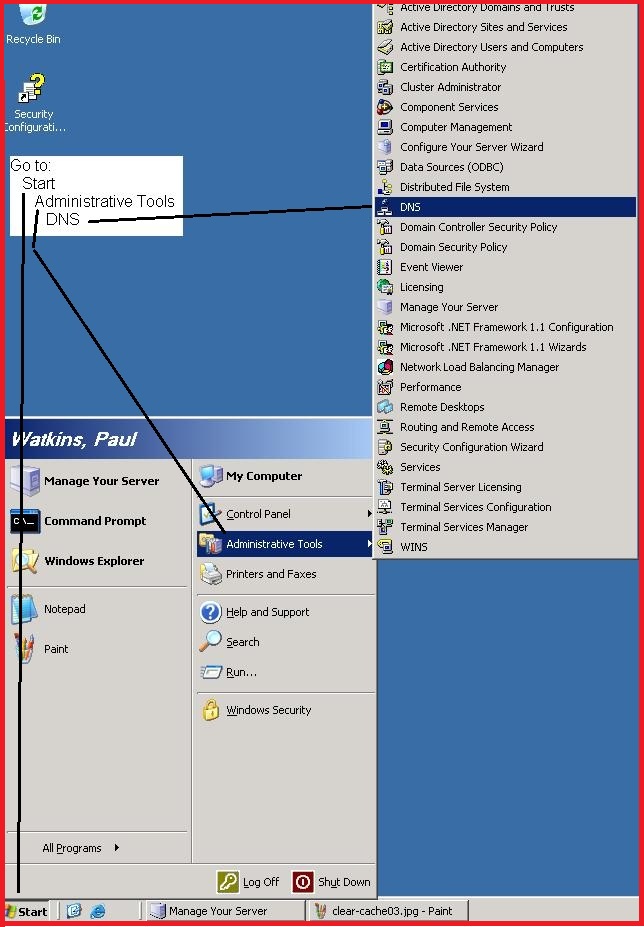
2. Click on Start > Administrative Tools > DNS
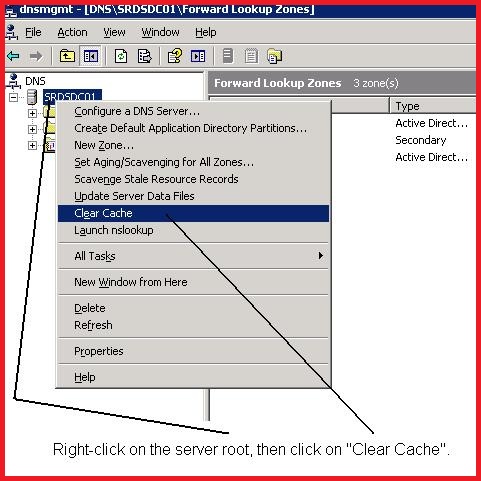
3. Right-click on the root of the server and click on "Clear Cache".