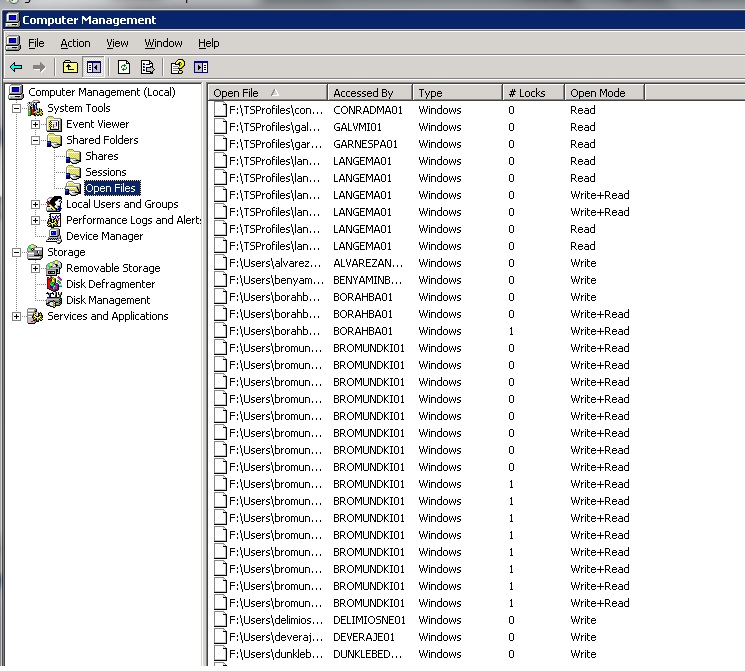
How to see what user has particular files open on a server.
1. Login to the server in question via an RDP session.
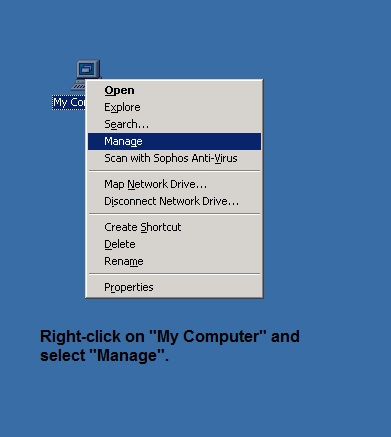
2. Right-click on "My Computer" and choose the "Manage" option.
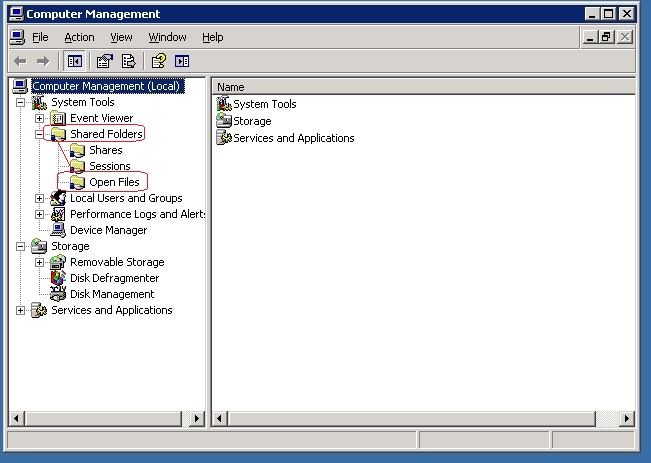
3. Double-click "Shared Folders" and then "Opened Files".
4. Click on the particular heading to arrange the list the way you desire to see it. (e.g Click on "Accessed by" to arrange the list by userID.)