Remote Desktop Keyboard Shortcuts Howto
(10/24/12)
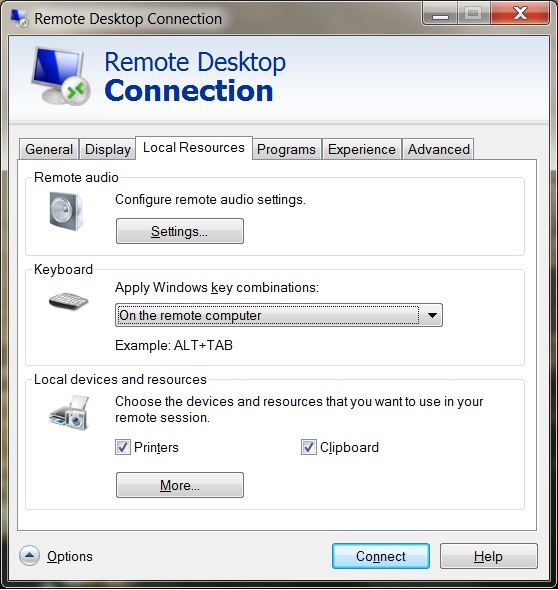
If you want to be able to use keyboard combinations in your virtual desktop (via an RDP session) you will need to configure the RDP session accordingly. Open your RDP session but do not login yet. Click on the "Options" link and then click on the "Local Resources" tab. Under the "Keyboard" secdtion, pick the "On the remote computer" option from the drop-down list. If you want to keep this setting, click on the "General" tab and use the "Save" or "Save as" button.